Big-button phone, smartphone or tablet: what is the difference?
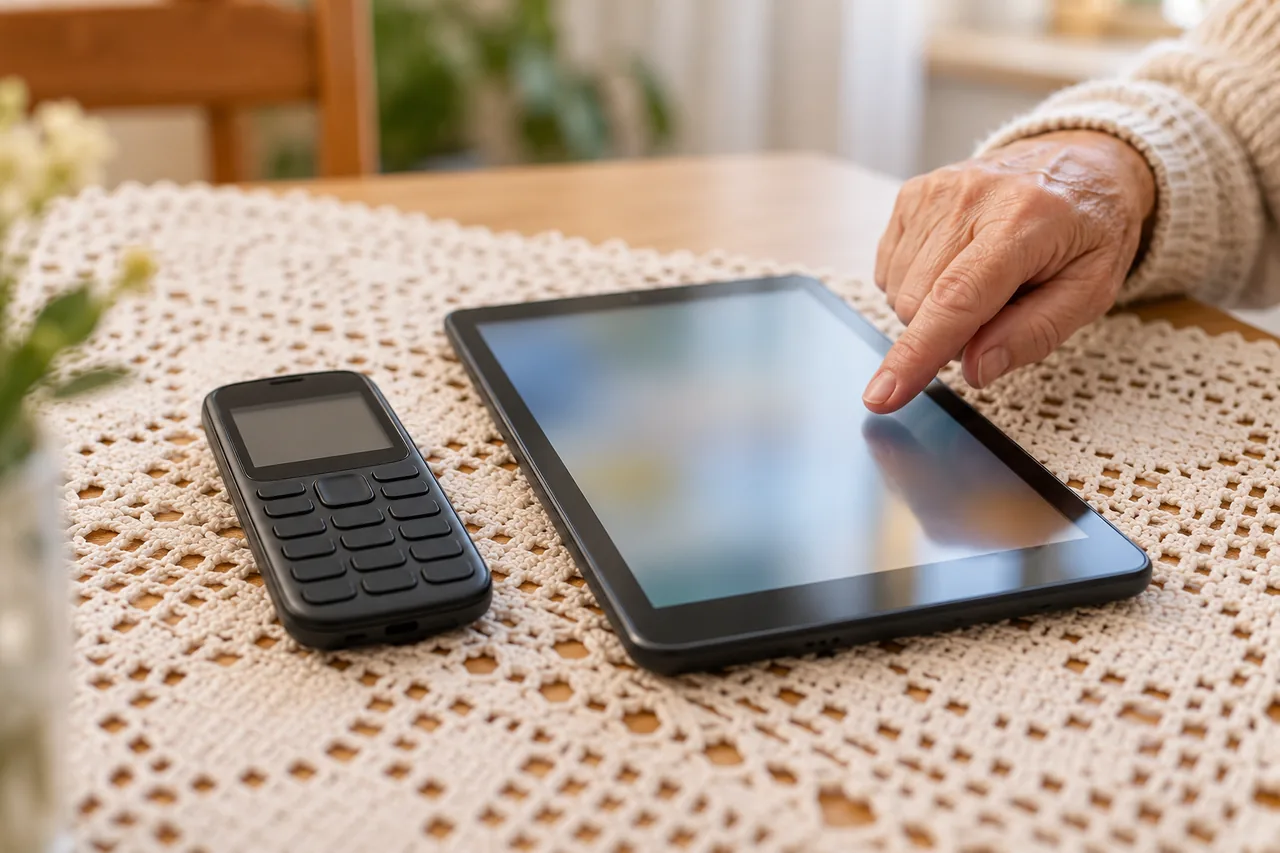
A big-button phone, often sold as a senior phone, is a simple mobile phone. The German consumer advice centres (Verbraucherzentrale) list large buttons, a loud ringtone and simple operation as typical features, plus an emergency button and good compatibility with hearing aids.
A smartphone makes calls, sends messages, takes photos and runs apps. The Verbraucherzentrale names smartphones and tablets with high-contrast screens and self-explanatory apps as an alternative. A tablet offers the same possibilities on a larger screen. Away from home Wi-Fi, it only has a connection if it has a SIM card for the mobile network.
| Criterion | Big-button phone | Smartphone | Tablet |
|---|---|---|---|
| Handling | Physical buttons, few functions, simple menus | Touchscreen, many functions, can be simplified | Touchscreen, more room for fingers |
| Reading and seeing | Large buttons; check how readable the display is in the shop | Text size and contrast adjustable | Largest screen, same settings |
| Hearing | Loud ringtone; works well with hearing aids according to the Verbraucherzentrale | Volume adjustable; ask your hearing care professional about pairing a hearing aid | Mostly loudspeaker use, such as video calls |
| Emergency | Emergency button on the phone | Emergency SOS via the power button (Android 12 and later), SOS feature on iPhone | Without a mobile connection, not an emergency phone for outings |
| Photos, video calls, apps | Hardly or not at all | Yes | Yes, on a large screen |
| Help from others | Little to learn | Easier if helpers know the same system | Easier if helpers know the same system |
Which questions lead to the right choice?
Go through these questions together and write down the answers. What counts is what the person wants, not what relatives would find convenient.
- What is the device for? Just calls and being reachable, or also looking at photos, writing messages and making video calls?
- How good are eyes and ears? Is small print still readable, or are large buttons and strong contrast needed? Is there a hearing aid?
- How steady are the fingers? People who find tapping and swiping on glass difficult often get on better with buttons they can feel.
- Does it need to work when out? For walks, appointments and emergencies, you need a pocket-sized phone with a SIM card.
- Who will help? Who can help nearby with set-up, updates and questions, and which system do they know?
- What feels familiar? Someone who already had a smartphone usually finds their way around a newer model of the same system more quickly.
If calls come first and there is little help nearby, a big-button phone fits. For photos, family groups and video calls, a smartphone is the obvious choice. A tablet suits life at home, especially for weaker eyesight, but does not replace a phone for going out. Some people therefore use both: a simple phone for the handbag and a tablet for the sofa.
What can an emergency button do, and what can’t it?
Each big-button phone handles its emergency button a little differently. Check in the manual whom it calls, whether it also sends a message and how to change the contacts. Only store people who are easy to reach and have agreed. Test the button together and announce the test call beforehand.
On Android smartphones, Google’s help pages call the feature ‘Emergency SOS’; it is available on Android 12 and later. You trigger it by pressing the power button five times or more. The phone can then call the emergency number and share your location with emergency contacts. Emergency SOS does not work in aeroplane mode or with battery saver turned on. For the iPhone, Apple’s iPhone User Guide explains how to use SOS to contact emergency services.
Android: set up Emergency SOS (Android 12 and later)
- Open Settings › Safety and emergency › Emergency SOS and tap ‘Start setup’.
- Check the emergency number with ‘Start’. If it is wrong, tap ‘Change number’, then ‘Next’.
- Add emergency contacts: tap ‘Start setup’, then ‘Set up’, add a contact and tap ‘Next’.
- Allow location access with ‘While using the app’ so that your contacts can receive your location.
- Choose how actions start: ‘Use touch and hold to start actions’ or ‘Start actions immediately after countdown’. Finish with ‘Done’.
Menu path as given in the manufacturer’s help; it may differ by device and version: support.google.com
Menu names can differ between manufacturers. If you cannot find the entry, look in the phone maker’s official help pages.
An emergency button is not an alarm service
If the button calls family or friends, they may not pick up at that moment. If someone living alone needs round-the-clock help at home, ask locally about alarm services with a staffed centre, what they cost and whether costs can be covered.
According to the European Commission, 112 is the European emergency number, available everywhere in the EU free of charge, from fixed and mobile phones. It is also used in some countries outside the EU, such as Switzerland. If callers do not know where they are, the operator identifies their location.
Will the device still work in a few years?
Older mobile networks are being switched off step by step. The Verbraucherzentrale explains that phones which only support 2G stop working after the switch-off: no calls and no text messages. Older devices without LTE and without VoLTE, meaning voice calls over 4G, are mainly affected. When buying a new big-button phone, ask explicitly whether it supports 4G and VoLTE on your operator’s network.
| Country | Status according to official sources | What to check |
|---|---|---|
| Germany | 2G: Telekom plans to switch off on 30 June 2028, Vodafone for mobile customers from September 2028; O2 keeps 2G for now (Verbraucherzentrale, as of 18 Dec 2025) | Phone with LTE/4G and VoLTE |
| Austria | No 3G network any more, switched off by mid-2025; first 2G switch-offs possibly in 2028 according to operators (RTR) | Make sure VoLTE works on your operator’s network |
| Switzerland | 2G already switched off; Swisscom and Sunrise announced the 3G shutdown by the end of 2025, Salt had not set a date; older phones without 4G can no longer be used (OFCOM/BAKOM, December 2025) | Check that VoLTE is enabled, install the latest software |
| France | 2G: switch-off in stages since 31 March 2026, to be extended nationwide by the end of 2026; 3G: Orange 2028, SFR end of 2028, Bouygues Telecom end of 2029, Free Mobile not yet announced (Arcep, updated 10 Sep 2026) | 4G with VoLTE; some models gain VoLTE through a software update |
| Italy | No official timetable in the sources used here | Ask your operator whether the phone supports VoLTE on its network |
| Spain | Government consultation of 17 December 2025 to set switch-off timetables by operator and technology; no official timetable in the sources used here (Ministry for Digital Transformation) | Ask your operator about 4G and VoLTE |
For a phone you already have, the Verbraucherzentrale suggests watching the display during a call: if it switches from ‘4G’ to ‘2G’, ‘GSM’, ‘E’ or ‘Edge’, adjust the settings or change the device. Switzerland’s communications office recommends checking in the phone settings whether VoLTE is enabled and installing the latest firmware.
Updates for smartphones and tablets
For smartphones and tablets, updates also matter. New EU ecodesign and energy labelling rules for these devices have applied since 20 June 2025. Operating system updates must be available for at least five years from the date the last unit of a model is sold. The energy label shows, among other things, battery lifespan and a repairability class from A to E. In Switzerland, these EU rules do not apply automatically.
A phone from the drawer is only a good option if it still gets updates and supports VoLTE. If you are considering a used or refurbished device, see Buying a refurbished phone: check condition, battery and warranty.
Who helps with setting up and everyday questions?
A device is only as easy as the help that comes with it. If children or grandchildren use a particular system, they can often help more easily when the new device runs the same one.
Agree on these points before you buy:
- Who sets up the device and transfers the contacts?
- Who is the first person to ask, and how can they be reached?
- Who reminds about updates and checks now and then that the emergency feature still works?
Helping does not mean that relatives manage every password. Helping digitally without collecting other people’s passwords shows how. For the first practice session together, see Preparing well for a digital help appointment. To set up a smartphone with larger text and a simpler home screen, see Phone for older parents: bigger text, simpler screen, contacts.
Support is also available outside the family. Ask your local council, library or an older people’s organisation about courses on smartphones and tablets.
An example: Eileen chooses two devices
Fictional example: Eileen, 81, lives alone in Cork. During calls, her old flip phone keeps showing ‘E’ instead of ‘4G’. Her grandson Conor offers her his old smartphone. First, they go through the key questions together.
Eileen mainly wants to be reachable and to see photos of her great-granddaughter. Small print is hard without glasses, and swiping feels awkward. Conor’s old smartphone no longer receives updates, so it is ruled out.
They decide on a big-button phone with 4G and VoLTE for her handbag and a tablet for home. On the tablet, Eileen looks at photos in large print and talks to the family by video on Sundays. The emergency button calls Conor first and then her neighbour. Both know about it and have taken part in an announced test call.
Common mistakes
- Choosing a device by age rather than by what the person wants and is able to do.
- Passing on an old phone from the drawer without checking for 4G, VoLTE and updates.
- Setting up the emergency button but never testing it with the stored contacts.
- Relying on a tablet without a mobile connection as an emergency phone.
- Setting everything up without agreeing who will help later.
Your checklist
The checkboxes are for your own reference. No entries are sent to us. To keep a copy, print the page or save it as a PDF using your browser menu.
Common questions
What is better for older people: a senior phone or a smartphone?
It depends on the task, not on age. Someone who mainly wants to make calls and be reachable gets on well with a big-button phone with an emergency button. Photos, messages and video calls need a smartphone or tablet. Try the devices beforehand and agree who will help later. Using both is also an option.
Can you make phone calls with a tablet?
Video and app calls work over the internet, on Wi-Fi or with a SIM card. Whether a model can make normal phone calls is stated in the manufacturer’s specifications. For going out and emergencies, a phone in the pocket is more reliable: a tablet without mobile data has no connection away from Wi-Fi.
Will my old big-button phone still work after the 2G switch-off?
If it only supports 2G, it will stop working after the switch-off, according to the Verbraucherzentrale. If the display shows ‘2G’, ‘GSM’, ‘E’ or ‘Edge’ during calls, ask your operator whether the phone can use 4G and VoLTE on its network. In Switzerland, according to OFCOM, older phones without 4G can already no longer be used.
Sources and further information
Primary sources from public authorities, consumer organisations and providers. A source may be in another language; follow the guidance that applies to your service and where you live.
- European Commission: 112, the EU’s emergency phone numberSource review date:
- European Commission: New EU rules for durable, energy-efficient and repairable smartphones and tablets start applyingSource review date:
- Android Help: Get help during an emergency with your Android phoneSource review date:
- Apple Support: Use SOS to contact emergency services on your iPhoneSource review date:
- Verbraucherzentrale (Germany): Digital assistance systems for older people (German)Source review date:
- Verbraucherzentrale (Germany): 2G switch-off and what it means for consumers (German)Source review date:
- RTR (Austria): 3G/2G sunset, the shutdown of 3G and 2G networksSource review date:
- OFCOM/BAKOM (Switzerland): 3G and 2G shutdownSource review date:
- Arcep (France): Closure of 2G and 3G mobile networks (French)Source review date:
- Spanish Ministry for Digital Transformation: Public consultation on the 2G and 3G switch-off (Spanish)Source review date: